
Fangame Analysis Part 1:
Web Scraping
“If programming is magic, then web scraping is surely a form of wizardry.” – Ryan Mitchell
One of the most compelling aspects of working in data is how many of the skills you learn can be applied to your own interests. Beyond determining the likelihood of dying on the Titanic (a seemingly perennial concern of aspiring data scientists the world over) virtually any subject under the sun which has a dataset behind it is fair game to be dissected in the name of nerdy dilettantism.
Recently I was fortunate enough to redo an analysis on a subject that I’d long had a personal interest in. I say “fortunate” because, having already done an analysis on the data in the halcyon days of 2020 when I had barely started on my data journey, I was able to compare just how much my skillset has grown and evolved in the intervening time.
Since the results and process of this analysis were quite interesting, I’ll share how I went about it here as a three part series, split into the following sections:
- Part 1 is a general overview of the data and the method of extraction.
- Part 2 reviews the technical aspects of cleaning and organising the data.
- Part 3 is concerned with the results of the analysis itself.
What is the Analysis About?
The data used in the analysis is taken from the website ‘Delicious Fruit‘, which indexes a number of user-submitted fan made games (or in the parlance of the community, “fangames”) based on the iconically rage-inducing indie video game I Wanna Be the Guy. This was a community I was quite familiar with as a teenager, and hold a fondness for to this day.
The website itself is rich with data for each of the fangames submitted, including date of submission, title, authorship, genre tags, comments, download links, and aggregated ratings for both difficulty and quality as voted by users.
With over ten thousand games indexed, along with a fairly consistent web page structure and dearth of analysis within the community, exploring the data seemed like too good an opportunity to be ignored.
Some Thoughts on Web Scraping
The first step with any data analysis is extracting the data. In my initial analysis back in 2020, at a time where I didn’t know how to code, I was content to go to the full list of fangames and copy + paste them into a spreadsheet.
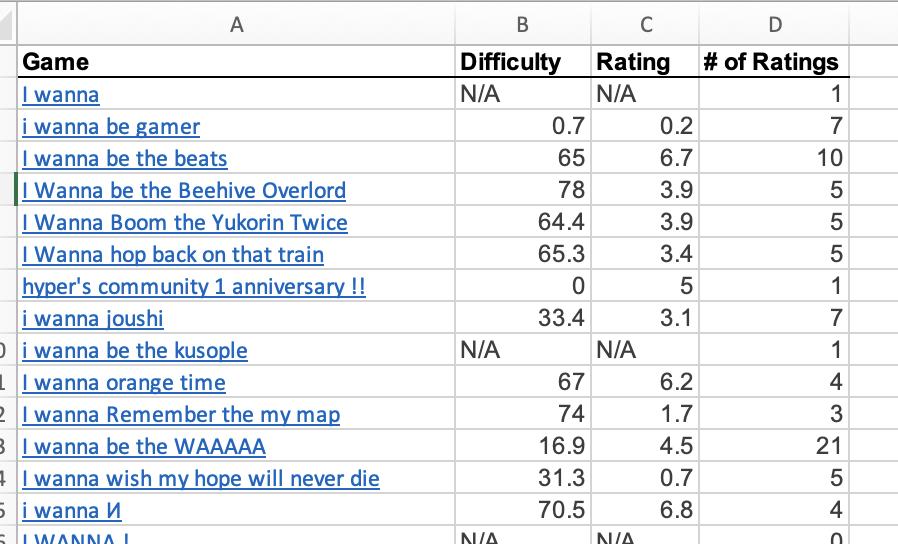
As charming and simple as that method of extraction was, given the small amount of data retained, it was clear that for the second iteration something more sophisticated would be required. As it so happens, in my job I’d recently worked on a project which included web scraping as a component of the process.
Web scraping is essentially using a bot to harvest information from websites. When the bot traverses from one web page to another, collecting info as it goes, it can also be called a web crawler.
The subject utterly fascinated me. I began to study it intensely, notably reading “Web Scraping with Python” by Ryan Mitchell, which gave a fairly comprehensive overview of its many ethical and technical dimensions. In my opinion, no other skill within the data professional’s toolkit reaps such impressive dividends for such a modest upfront investment in time and code as does web scraping.
With that being the case, and given the relatively simple nature of the website I wanted to extract information from, web scraping was the most sensible (and enjoyable) idea I had for retrieving the data.
Building the Web Scraper
I began by messaging the website manager to check that performing a scrape wouldn’t cause any problems. After receiving confirmation, it was time to get down to business. To understand how I obtained the data, let’s talk a bit about web pages.
A web page is typically generated by code, such as HTML, which defines its content and structure, and CSS, which deals with presentation and styling. The individual elements of a website (words, pictures, etc.) are given their place and appearance by this code, which positions the elements above, under, or side-by-side with the other elements in a nested structure. This structure is sometimes called an ‘HTML tree’ because of its appearance.
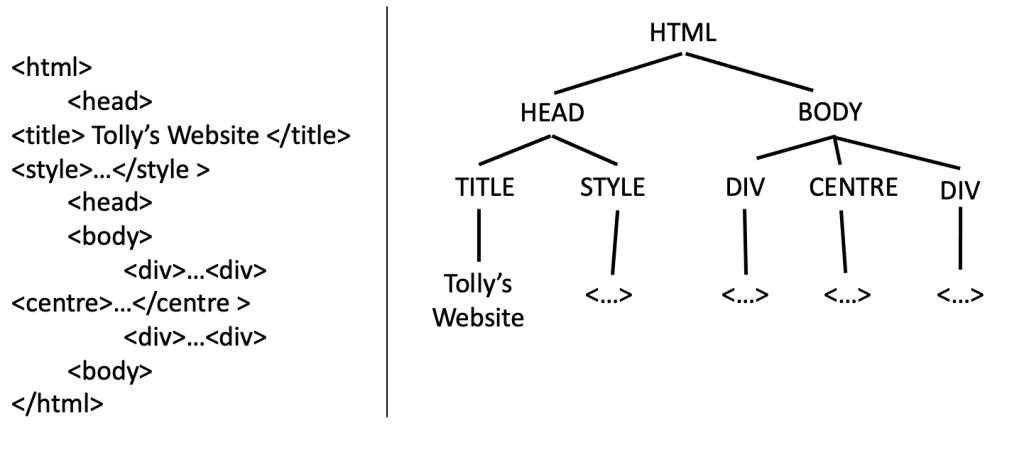
Knowing the above, we can comb through the tree and “pinpoint” the appropriate elements and their location within a web page, which can then be returned via the web scraping process.
By finding commonalities across web pages and developing a way to navigate between them, we can retrieve the data at scale through a simple looping or branching process run in a coding language that is able to access and traverse URLs [1].
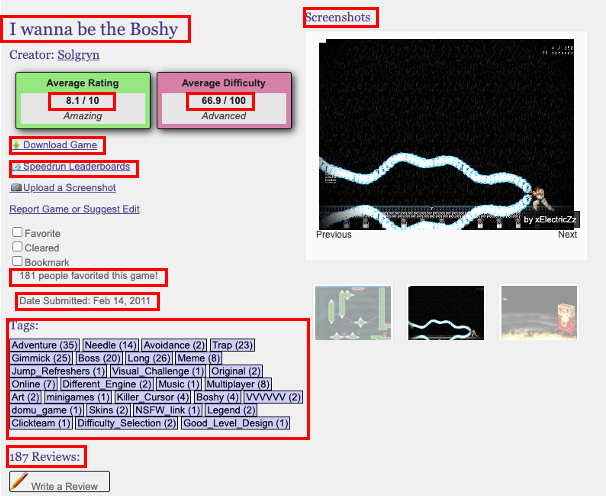
The easiest way to identify the location of an element in a web page is, like most things in life, to ask! By right clicking on an element and ‘inspecting’, we can see where the element exists in the HTML tree.
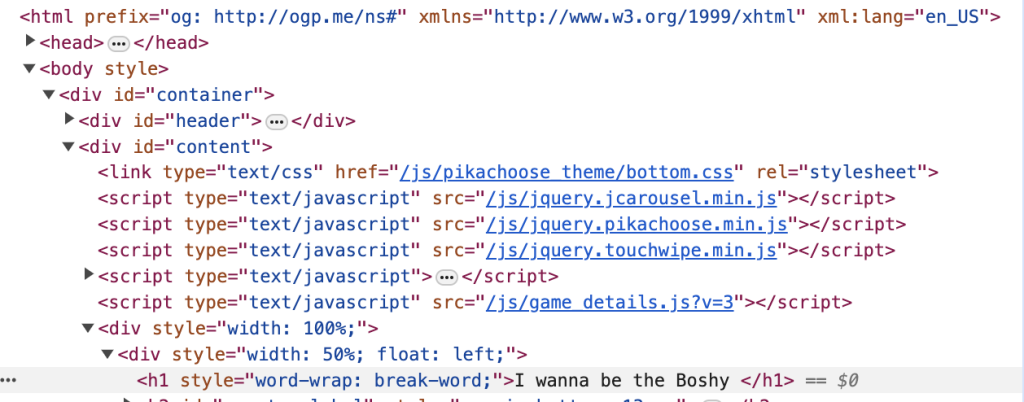
Retrieving every element is essentially some iteration of identifying its place within the HTML tree and “pointing” to it properly. This can sometimes be a very simple task, like in the prior example, where the title is always the second ‘h1’ instance in the HTML tree.
Complications can occur when the element may not exist (in which case conditional logic is required to avoid an error); can only be viewed when logged in [2]; or can only be identified in relation to its surrounding elements, in a way not dissimilar to finding a relative on a family tree.
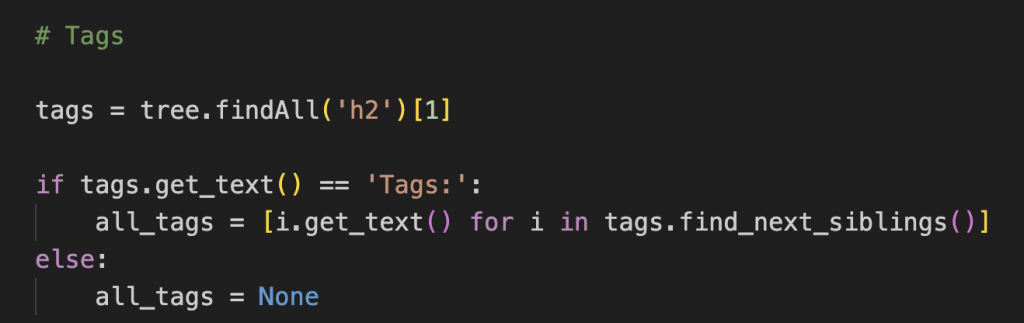
Traversing the Website
Once I was confident with extracting the required elements from a single web page, the next step was to turn my web scraper into a web crawler.
The true power of web scrapers is unlocked by being able to work on not just one web page, but across many that have a similarly structured HTML tree. Assuming the similar nature, pointing at the same location on one tree should return the same element when pointed to on another tree.
There are many different ways to do this traversal, which can vary wildly in complexity. One method would be to identify every URL in the web page, ensure they haven’t been explored before or point to an external website, then access the link and repeat the process until all links have been exhausted.
The method I used was much more complicated, and required the application of some of the most fiendishly brilliant data skills at my disposal.
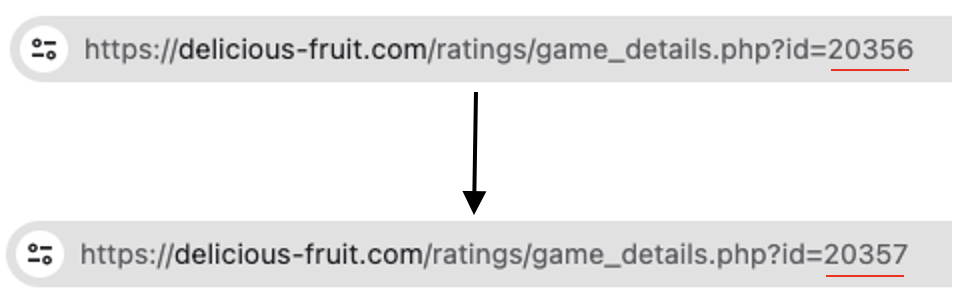
In essence, I could traverse from one web page to another by incrementing the ID value in the URL by 1, between the earliest and latest available ID.
This simple method highlights the importance of spending a bit of time on investigating possibilities. I could have made some kind of URL traversal system, but that’d be far more complex than what was actually called for.
Running the Web Scraper and Error Handling
Even once built, the process of actually running the scraper is a complicated enterprise. The possible number of errors that can occur is virtually limitless, and you can never be entirely sure exactly what problem might arise until it happens [3].
What makes errors particularly painful is that scraping an entire website can take a very long time indeed; even a few seconds per web page can become many hours if you need to extract information from thousands of pages. (Case in point: this scrape took about 20 hours to complete.)
With that in mind, having good visibility and some technique to deal with errors was essential. I found the following methods worked quite well for me:
- Have a text that popped up every X number of web pages successfully traversed.
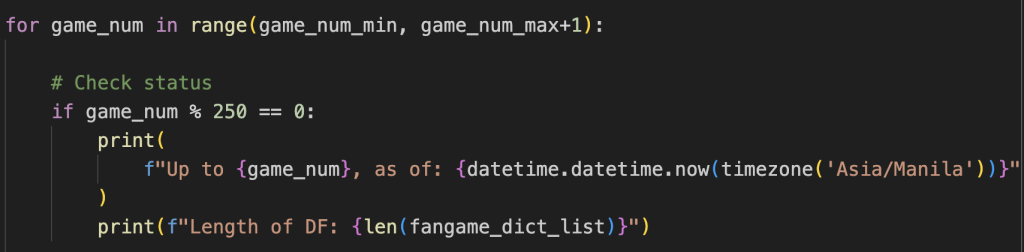
- Skip scraping a web page if a serious error was encountered. The URL and ID of the web page is logged so I can later assess why my code failed. A running count of errors is logged, and if they exceed a certain threshold, the run is terminated and the current results saved. This lets me refactor the code to deal with the errors without losing progress.
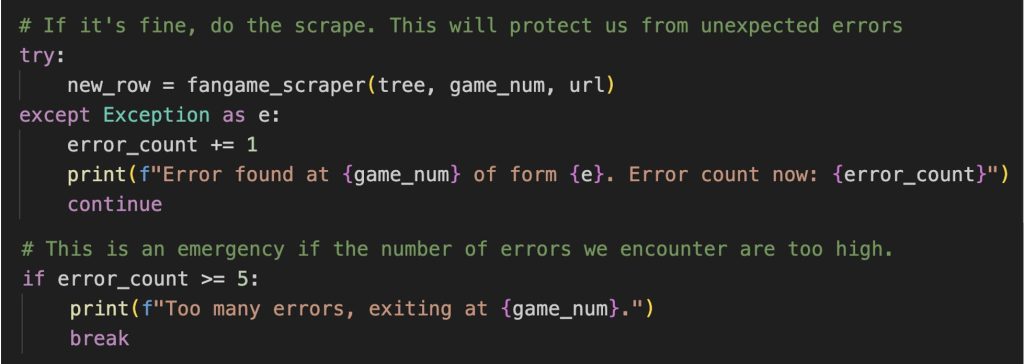
- Build in some condition logic when accessing an element that may not be there to deal with the issue of missing or corrupt data.
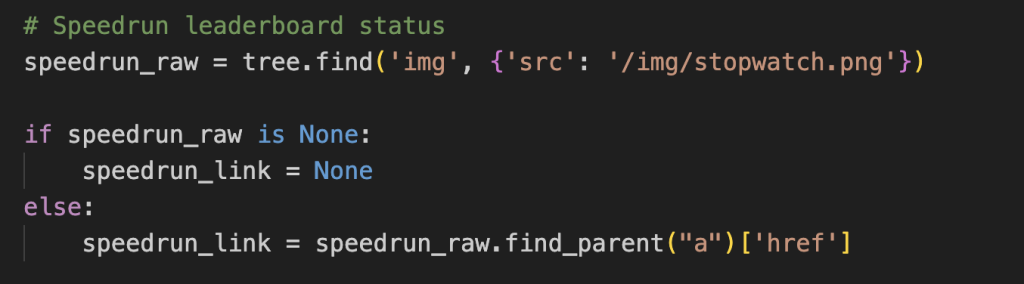
Once the above is all set up, you can sit back and let the scraper run its course in the background.
Conclusion
As I’ve demonstrated, this ability to extract large quantities of information from online is a massive boon for any data professional. Although the exact lines of code and idiosyncrasies of the website will differ from project to project, the general approach demonstrated above is universally applicable.
For me, it resulted in a data frame with over thirteen thousand rows and thirteen columns, filled with every game indexed to the website and a large amount of interesting data with which to perform an analysis on.
However, having the data available does not mean that the data is good quality, which serves as a natural segue to Part 2 of this series: data cleaning.
[1] I built my web scraper using the python coding language. “BeautifulSoup” was the library I used for parsing the HTML, whereas the “requests” library was used for accessing the URLs. I designed and ran the entire script in VS Code.
[2] Entire chapters have been written about the complexities web pages can throw up when you’re trying to scrape. This can include sign-in requests, upgrade modals, and CAPTCHA’s. Thankfully for this project the only major hurdle was the need to login to an account to see the full information available. I did this by saving my cookies and headers from a previous login and embedding this information in the URL ‘get request’. You can read about this method here. A more rigorous solution could be built off of a python library like Selenium, but that was beyond the scope of this project.
[3] Examples of errors could be due to a faulty connection, bad network, missing/corrupted data, or even the website getting annoyed by how often you’re accessing it and kicking you out as a suspected bot, which to be fair wouldn’t be erroneous.